
When you type in Microsoft Word, you sometimes need to write math formulas in it, follow the steps below to write math formulas in Microsoft Word.
- Click the inserts tab

- Click Equation (In the Equation menu there are formulas for calculating the area of a circle, the Binomial Theorem, Sales expressions, and so on)
- Select a formula in Equation or click Insert new equation
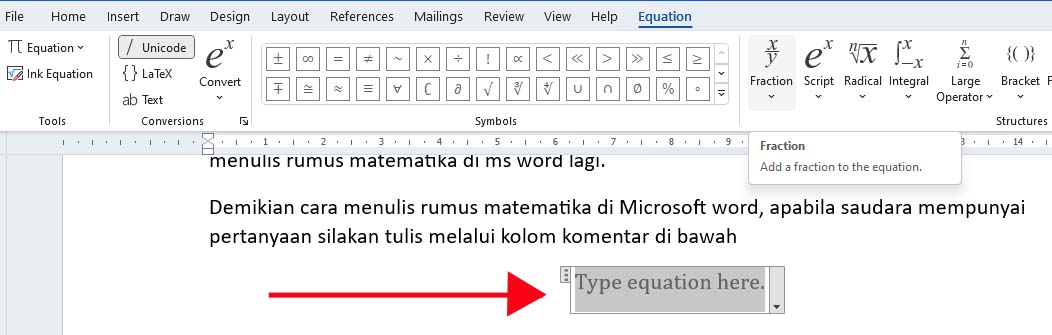
- The type equation here menu appears.
- Enter the formula according to what is in the Structures menu, you can change it according to your needs.

- Click outside when it’s finished,

The math formula is complete, and continue the method above to write the math formula in another Microsoft Word. That’s how to write mathematical formulas in Microsoft Word, if you have questions, please write them via the comments column below